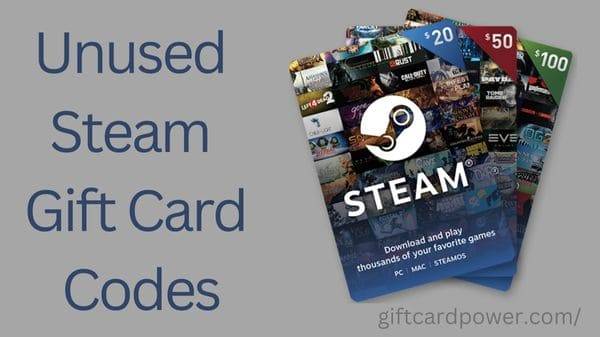
If you love gaming, Steam Gift Cards are a convenient way to add funds to your Steam Wallet without entering your payment details every time you buy a game.
They also make thoughtful gifts for friends and family who enjoy PC gaming.
Whether you are a beginner or an experienced player, understanding how these cards work can help you shop safely and manage your gaming budget.
In this guide, you will learn where to buy Steam gift cards, how to redeem wallet codes, how to spend your balance, and how to avoid common scams.

What Are Steam Gift Cards?
Steam gift cards are prepaid cards that let users add money to their Steam Wallet.
Once redeemed, the funds can be used to purchase eligible products on the Steam platform, including video games, downloadable content (DLC), and other available items.
Steam offers digital gift cards that you can send to friends through its official platform.
Existing physical gift cards and wallet codes can also be redeemed, subject to applicable restrictions.
For example, imagine you want to purchase a game priced at $20.
If your Steam Wallet contains $10, you may use that balance and pay the remaining $10 using another available payment method at checkout.
How to Get Steam Gift Cards Safely
Finding a legitimate gift card is important because fraudulent sellers may advertise fake, stolen, or already-redeemed codes.
1. Buy Digital Steam Gift Cards
The official Steam website is a reliable place to start. Visit the Steam Gift Cards page to explore digital gifting options.
Follow the instructions to select a gift amount, choose an eligible recipient, and complete the purchase using an available payment method.
2. Check Existing Physical Gift Cards
If you already own a physical Steam gift card, keep it in a safe place until you are ready to redeem it. Check that the code has not been exposed or shared with anyone else.
Steam has announced it is phasing out its retail physical gift card program, with existing retail stock expected to disappear by the end of 2026.
Existing cards can still be redeemed, subject to applicable restrictions. Digital gift cards remain available.
3. Avoid Suspicious Websites
Be careful with websites promising unlimited free Steam gift card codes, guaranteed working codes, or instant wallet balance without a legitimate purchase.
Never provide your Steam password, authentication code, or recovery information to a website claiming it needs these details to generate a gift card.
How to Redeem Steam Gift Cards
Redeeming a valid Steam Wallet code is straightforward. Follow these steps to add the card’s value to your account.
- Open the official Steam Wallet redemption page.
- Sign in to the correct Steam account.
- Enter your Steam Wallet code in the designated field.
- Review the code carefully to make sure every character is correct.
- Click Continue and follow any additional instructions.
- Check your Steam Wallet balance to confirm that the funds have been added.
Once redemption is successful, the value becomes part of your Steam Wallet balance.
Important: Redeem codes only through official Steam pages. Never publish your complete gift card code in a public comment, social media post, or gaming forum.
How to Use Your Steam Wallet Balance
After redeeming a gift card, you can use the funds to purchase eligible products on Steam.
Buy Games and Downloadable Content
Browse the Steam Store and select a game or eligible downloadable content. Add the product to your cart, proceed to checkout, and review the available payment options.
Steam generally uses your available Wallet funds first. If your balance does not cover the full purchase price, you may need another supported payment method to pay the difference.
Purchase Games During Sales
Steam regularly features promotional events and discounts. Comparing prices before purchasing can help you stretch your wallet balance further.
For example, if a game normally costs $30 but is discounted to $15, a $20 wallet balance could cover the game and leave $5 for a future purchase, assuming the displayed prices and applicable taxes permit it.
Keep Track of Your Spending
Check your Wallet balance and purchase history through your Steam account.
Setting a monthly gaming budget can help you avoid unnecessary purchases and make better use of prepaid funds.
Remember that redeemed Steam Wallet funds cannot normally be transferred or gifted to another Steam account.
Common Steam Gift Card Problems and Solutions
Sometimes a wallet code may not work immediately. Here are a few common reasons and possible solutions.
Incorrect code: Double-check similar-looking characters, such as the number zero and the letter O.
Already-redeemed code: If a code has been used previously, contact the seller with your receipt and ask them to investigate.
Activation delay: Some purchased codes may take time to activate. If the problem continues, contact the retailer or Steam Support as appropriate.
Currency or regional restrictions: Steam converts eligible wallet codes into your Wallet’s currency upon redemption, but restrictions may still apply.
Check the official requirements before purchasing a code from another country.
How to Avoid Steam Gift Card Scams
Gift card scams can target gamers through emails, social media, gaming communities, and fake customer support accounts.
Steam warns users about criminals who demand gift cards to pay supposed taxes, debts, fines, or processing fees. These are major warning signs of fraud.
Protect yourself by following these precautions:
- Never use Steam gift cards to pay government agencies, strangers, or supposed technical support representatives.
- Do not share your gift card code before redeeming it.
- Avoid websites that require surveys or downloads to reveal supposedly free codes.
- Purchase gift cards through legitimate channels and keep your receipts.
- Enable Steam Guard and protect your account credentials.
If someone asks you to buy a gift card and send them the code as payment, stop and verify the situation independently.
Frequently Asked Questions (FAQs)
1. Can I Get Free Steam Gift Card Codes?
Legitimate promotions, rewards, or giveaways may occasionally offer gift cards.
However, there is no guaranteed supply of free working codes.
Avoid websites that promise unlimited codes or demand sensitive account information.
2. Do Steam Gift Cards Expire?
Steam Wallet funds generally do not expire simply because time has passed.
However, individual promotions or third-party offers may have separate conditions.
Always check the applicable terms and contact Steam Support if you have concerns about a specific code.
3. Can I Use a Steam Gift Card in Another Country?
Steam Wallet codes are converted into the currency of your Steam Wallet upon redemption, but regional and other restrictions may apply.
Before buying an international card, check the official Steam redemption requirements to confirm that it is suitable for your account.
Final Thoughts
Steam gift cards offer a convenient way to fund gaming purchases, send gifts, and manage your spending.
The key is to buy legitimate cards, redeem codes through official Steam pages, and protect your account information.
By following these steps, you can enjoy your favorite games with greater confidence while avoiding common gift card scams.
Always rely on official Steam resources for the latest redemption rules and account support.